
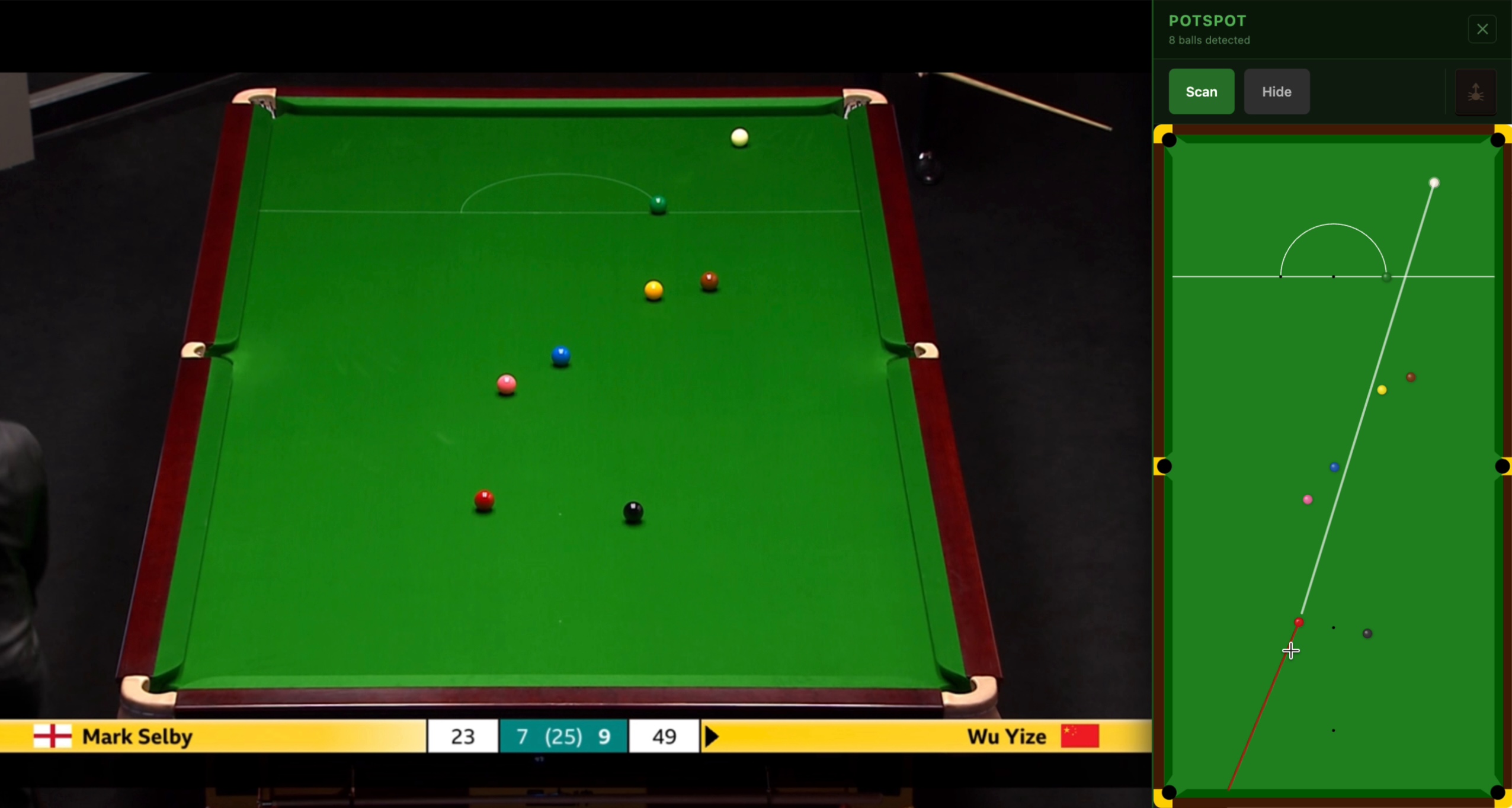

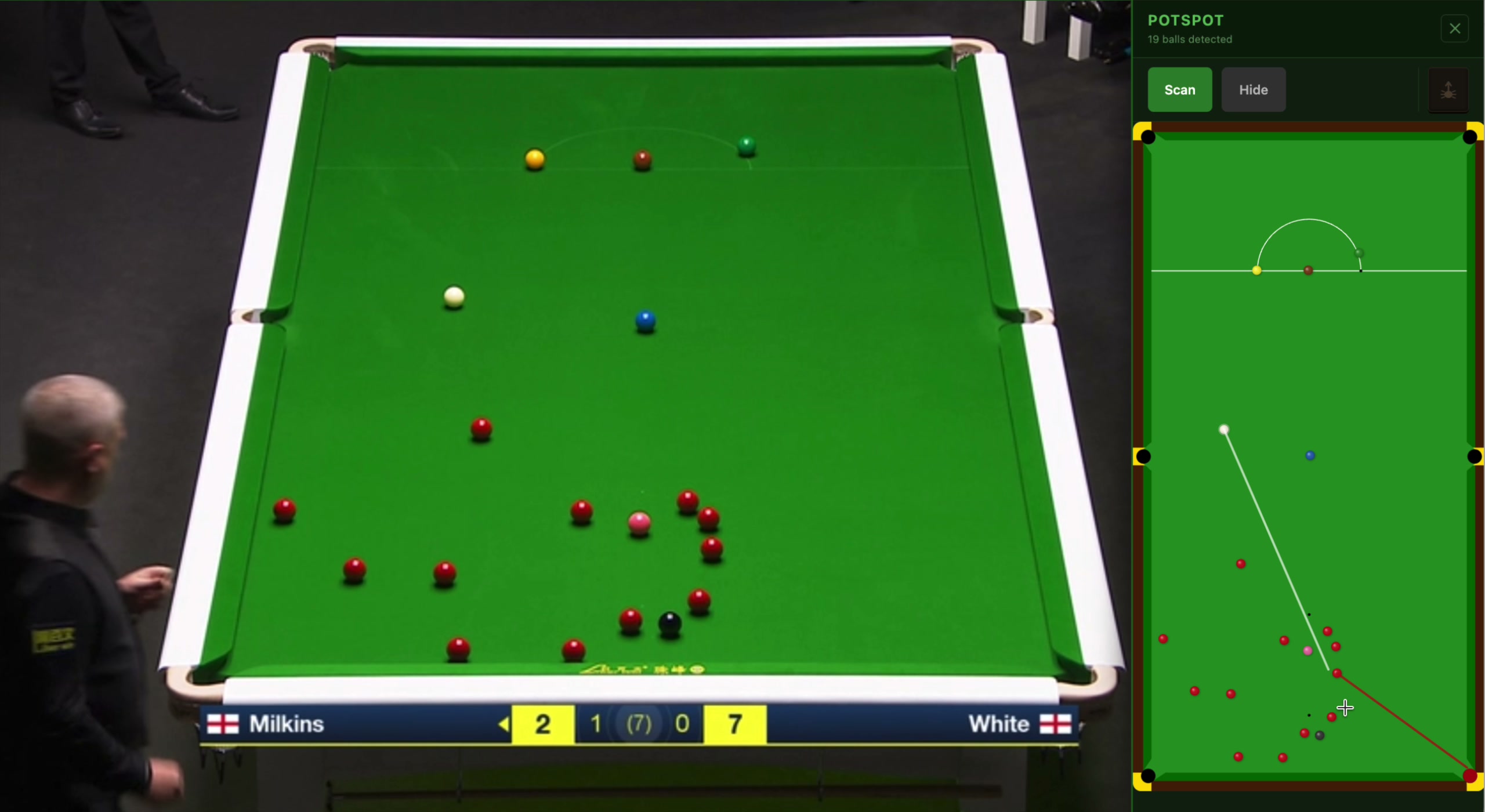
"I can't quite tell if the red ball goes to the corner…"
"Has he got cover from the brown…"
"Now, is he on that red to the middle…"
- all the commentators, all of the time
Arrrghhhhhhh!
No need to wait for the camera to line up the shot…
Take control and see for yourself instantly!
Download from the Chrome Web Store→
The eagle-eyed among you will have noticed than a full HD stream is 1080 pixels high, whereas a snooker table is over 3000mm high. So it's impossible to be absolutely millimetre precise.
Low camera angles also mean that a fraction of a pixel can move a baulk colour a few mm - this is unavoidable, although a lot of work has gone into squeezing every last drop of accuracy out of the scan.
That said, in use, generally PotSpot is accurate enough in all but the tightest situations: and often players can bend that last tiny fraction of an inch anyway.
The biggest problems are blurry video and low camera angles: if you see the baulk colours move slightly from the centre of their spots, it'll be one of these: make sure to maximise your window for the best accuracy!
After installing the extension, go to Manage Extensions and "Pin" PotSpot - this means it's always there ready.
Do not go full-screen with your video: browsers don't give extensions access to full-screen video.
Do maximise your browser window: on Windows click the square top right, or on macOS click the green button (next to red and yellow) at the top left of the window.
When viewing, click the PotSpot extension icon: this will get rid of all the cruft from the page and make the video as large as possible. It will also give you a Scan button in the sidebar.
When the full table is in view, click the Scan button. If there's a player/cue/referee blocking some of the view, that will be shown as shadow (so you know there might be hidden balls there).
When the table appears in the sidebar, click the cue ball to see what it can hit and if you can get to potting angles. Click any other ball to see if it can reach a pocket.
If there's a problem detecting balls, click the 'bug' icon near to the Scan button: this will let you describe the problem and submit a picture of what it scanned for me to look at.
Last updated: 20 May 2026
All ball detection happens locally in your browser. When you click Scan, the extension takes a screenshot of the current tab, analyses it on your device and renders the result. None of this is sent anywhere outside your browser during normal use.
The extension generates a random anonymous identifier and stores it in your browser. This is sent to potspot.net with each scan and each time you open the panel, so we can monitor general aggregate usage of the extension. The identifier is regenerated every calendar quarter and is not linked to your identity, the content of any page nor any bug report.
Usage counts also record which supported streaming site the extension was used on (for example 'bbc' or 'channel5'), so we can understand which platforms are most used. No page URL, programme title, or other browsing detail is recorded.
All statistics gathered are used in aggregate purely to understand usage and improve the plugin, and never linked to any personally identifiable information.
If you click the submit button to report a detection problem, the extension sends the following to potspot.net: the URL of the current tab, a screenshot, a self-generated debug image of where it thinks the balls and table are, the list of detected balls, the description of the problem that you typed, and your contact details if you chose to enter any. Nothing is transmitted until you explicitly click submit. Contact details are saved in your browser so you do not have to re-enter them next time, but are only used for bug submissions and never tracked or used otherwise.
Bug reports and all associated data are kept for a maximum of 3 months before being fully deleted.
We do not serve ads, we do not sell data, and we do not share any information with third parties.
To request deletion of any submitted bug report, or with any privacy questions, contact us at snooker[аt]potspot.net.